
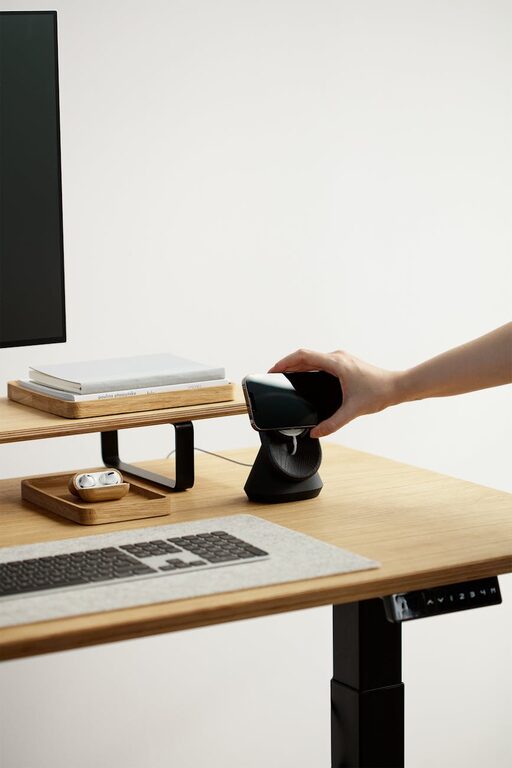
Creating a home workspace that is both cozy and functional is essential for maintaining productivity and comfort. Whether you are working remotely full-time or occasionally, your environment can significantly impact how well you focus and manage tasks. This guide will walk you through easy steps to build a workspace that feels inviting and supports your daily work routine.
Why a Cozy and Functional Workspace Matters
A well-designed workspace serves two main purposes: it encourages efficient work habits and provides comfort that nourishes your well-being. When your space feels cozy, you are likely to enjoy spending time there, reducing stress and fatigue. Functionality ensures you have everything you need close at hand, which minimizes distractions and interruptions.
Choosing the Right Location
Consider Natural Light
Pick a spot that receives plenty of natural light. Daylight not only boosts mood but also helps regulate your internal clock, improving alertness. Try placing your desk near a window, but avoid direct glare on your computer screen.
Opt for Quiet and Privacy
Select a quiet corner of your home, away from noisy areas like the kitchen or TV room. Privacy helps minimize interruptions and enables you to focus deeply on work tasks.
Furniture Selection for Comfort and Efficiency
Invest in a Quality Chair
A supportive ergonomic chair is crucial. It encourages good posture and reduces back strain during long hours. Features to look for include adjustable height, lumbar support, and cushioned seating.
Choose an Appropriate Desk
Your desk should fit your work style and available space. If you need space for multiple monitors, opt for a spacious desk. For small areas, consider compact or wall-mounted desks. Adjustable desks that allow you to switch between sitting and standing positions offer health benefits too.
Organize for Clarity and Calm
Declutter Your Desk
Keep only essential items on your desk to maintain a clean, distraction-free environment. Use cable organizers to manage wires and keep them out of sight.
Use Storage Solutions
Shelves, drawers, or storage boxes help keep supplies and paperwork organized. Label containers so you can quickly find what you need without fuss.
Incorporate Personal Touches
Adding a few personal items, such as photos, plants, or artwork, can make your space feel welcoming without overwhelming it.
Optimize Lighting and Ambiance
Layer Your Lighting
Good lighting combines natural light, overhead fixtures, and task lighting. A desk lamp with adjustable brightness and direction ensures proper illumination for reading or computer work.
Create a Comfortable Temperature
Ensure proper ventilation and maintain a comfortable temperature. A small fan or heater can help adjust as needed.
Foster Healthy Work Habits
Take Frequent Breaks
Use your cozy workspace to prompt short breaks. Move around or stretch to prevent stiffness and refresh your mind.
Set Boundaries
Make it clear to household members when you are working to respect your workspace and time.
Technology and Tools
Reliable Internet and Equipment
Make sure your internet connection is stable. Invest in quality headphones or microphones if you join virtual meetings frequently.
Minimise Digital Clutter
Organize your computer desktop and digital files similarly to your physical space for efficient access.
Maintaining Your Workspace
Regularly tidy up and reassess your setup to ensure it continues to meet your needs. Swap out items or rearrange as you discover what works best for your workflow.
—
By creating a home workspace that combines coziness with functionality, you set yourself up for better focus and productivity. Thoughtful design and organization lead to a healthier, more enjoyable work-from-home experience. Start with simple changes and gradually tailor your space to fit your unique preferences and tasks.