
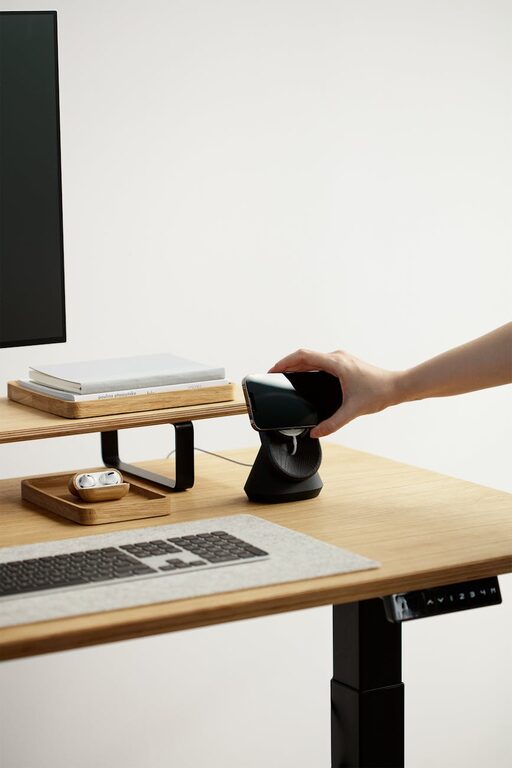
Creating a home office that is both cozy and productive is key to working efficiently and feeling comfortable throughout your day. Whether you are new to working from home or looking to improve your current setup, a well-designed workspace can make a big difference in your focus and overall well-being. Below are practical tips and ideas to help you create an inviting and effective home office space.
1. Choose the Right Location
The foundation of a productive home office starts with its location:
– Find a quiet spot: Pick a place with minimal distractions, away from the main living areas if possible.
– Natural light: Position your desk near a window to benefit from natural daylight, which can improve mood and energy.
– Space requirements: Ensure there is enough room for your desk, chair, and any additional equipment you need without feeling cramped.
2. Invest in Comfortable and Ergonomic Furniture
Your comfort directly affects your productivity and health:
– Ergonomic chair: Choose a chair that supports your back and promotes good posture.
– Adjustable desk: Consider a desk that can adjust in height for sitting and standing positions.
– Desk size: Select a desktop large enough to hold all your essentials but not so big it feels overwhelming.
3. Organize for Efficiency
An organized workspace helps reduce stress and save time:
– Declutter regularly: Keep only essential items on your desk.
– Storage solutions: Use shelves, filing cabinets, or boxes to store documents and office supplies.
– Cable management: Use clips or tubes to keep cords tidy and prevent tangling.
4. Use Lighting Wisely
Lighting affects both your comfort and alertness:
– Layer your lighting: Combine natural light, overhead lights, and task lighting for flexibility.
– Desk lamp: Use a lamp with adjustable brightness and direction to avoid eye strain.
– Avoid glare: Position screens and light sources to reduce reflections and brightness that can cause discomfort.
5. Personalize Your Space
Make your office feel inviting and motivating:
– Add plants: Indoor plants improve air quality and add a touch of nature.
– Decorate mindfully: Use art or photos that inspire you without cluttering the space.
– Comfort items: Incorporate cushions, rugs, or blankets to create a warm atmosphere.
6. Minimize Distractions
Creating boundaries can help maintain focus:
– Use noise-cancelling headphones if noise is an issue.
– Set specific work hours and communicate them to household members.
– Keep phones and non-work devices out of reach unless necessary.
7. Incorporate Technology Smartly
Technology can enhance productivity when used appropriately:
– Reliable internet: Ensure you have a fast and stable connection.
– Quality peripherals: Use ergonomic keyboards, external monitors, or mice to improve comfort.
– Organize digital files: Maintain a clear folder structure and back up important documents regularly.
8. Maintain Good Air Quality and Temperature
Physical comfort is crucial for sustained focus:
– Ventilation: Open windows regularly or use an air purifier for fresh air.
– Temperature control: Use fans or heaters to maintain a comfortable working temperature.
– Humidity: Consider a humidifier if the air is too dry.
9. Take Breaks and Move
A cozy and productive office also encourages healthy habits:
– Regular breaks: Follow the 50-10 rule – work for 50 minutes, then take a 10-minute break.
– Stretching: Stand up and stretch or walk during breaks to reduce muscle fatigue.
– Hydration and snacks: Keep water and healthy snacks on hand to stay energized.
Final Thoughts
Designing a home office that balances comfort and productivity requires thoughtful planning and adjustments tailored to your personal preferences and work style. By selecting the right location, investing in ergonomic furniture, organizing efficiently, and cultivating a pleasant atmosphere, you can create a space where you enjoy spending your workday. Remember, a home office should support your tasks while also nurturing your well-being. Start small and make improvements over time—your ideal workspace is within reach!